


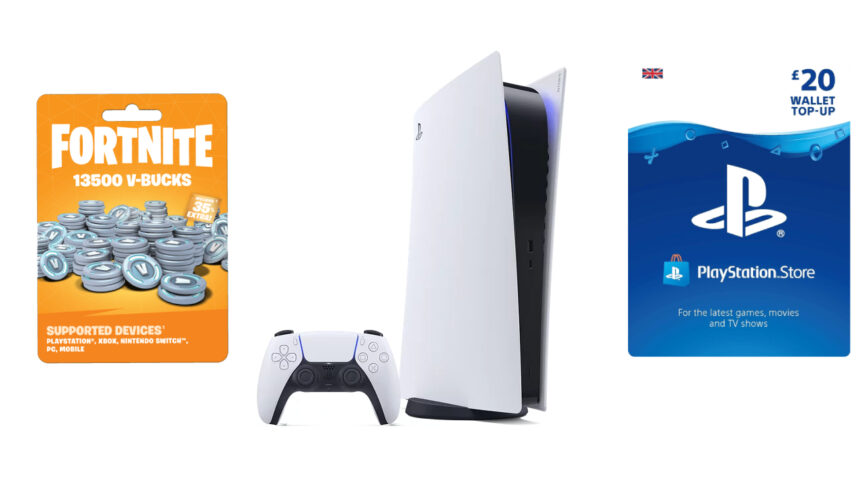
If you’re an avid Fortnite player with an itch to buy the latest and most intriguing skins of your favourite franchise, this guide will help you, since I’ve been there myself. Before redeeming a Fortnite gift card on PS5, you should understand the difference between its two categories: V-Bucks gift cards issued by Epic Games and the standard PlayStation Gift Card. Both can be used to obtain Fortnite content, but the redemption process differs for each type. Whether you own a direct V-Bucks Card or a PlayStation Gift Card, you can follow our process to redeem them on your console efficiently.
How to Redeem V-Bucks Gift Cards on PS5

Unfortunately, neither PlayStation 5 nor Fortnite has internal methods to redeem a gift card for V-Bucks. Instead, players have to use the Epic Games website’s redemption section to activate the code. This process will help you step-by-step:
- Open Fortnite’s website and sign in to your account from the top right corner
- Head to the V-Bucks redemption centre or click here
- Scratch the gift card to reveal the code and write it in the text box
- Hit on Redeem and return to your game to claim the specified V-Bucks amount
- If the code is duplicated, contact the retail store for an indefinite refund or a new gift card
How to Redeem PlayStation Gift Cards on PS5
If you have a normal PlayStation Gift Card and want to purchase VBucks through the wallet currency, here is the process to redeem them:
- Start your PlayStation 5 and head into the PlayStation Store
- Press Triangle to access the bar on your top right
- Press X on the three dots and Redeem Code
- Write your unique gift card code in the text box
- Redeem the code
With this, you will receive the specified amount from the gift card into your PlayStation 5 wallet. Launch Fortnite, and you can purchase V-Bucks directly from these funds.


