


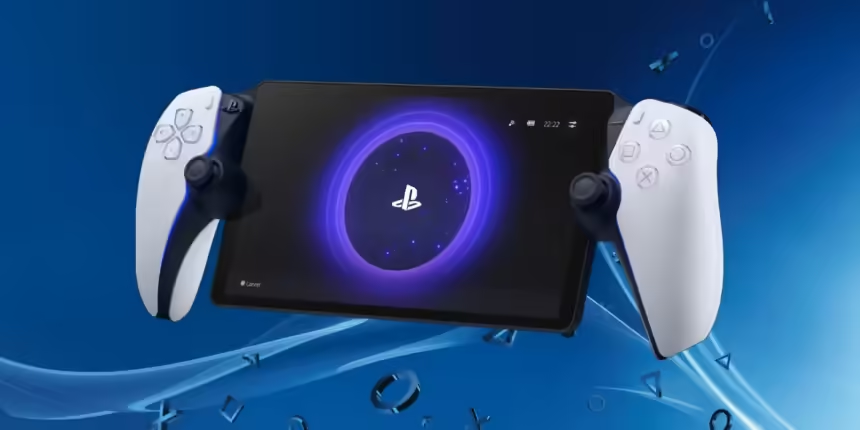
So, you want to use your fancy PS Portal away from your humble abode, eh? Well, you can. But there is a catch. And no, we’re not talking about the ‘ol ball and chain. Let us explain, please.
What’s The Catch?
The catch is that while you can absolutely use your PS Portal away from home and away from Wi-Fi and all that, you unfortunately need to have your PlayStation 5 connected to the Internet at all times. To do this, you must leave your PS5 in Rest Mode, go to Settings > System > Power Saving > Features available in Rest Mode, turn on Stay Connected to the Internet, and enable Turning on PS5 from Network. Oh, and if you have one, connect your PS5 to an Ethernet cable if you have one, we can’t stress that enough.
But Here’s How You Make It A Little Better
You can make this situation a little better by enabling Remote Play on your PS5 and enabling the stuff we mentioned before. Before you head out, connect your Portal to a hotspot on your phone and make sure you can turn on your console via your PS Portal with no issues. If it works, then turn on your PlayStation Portal and connect to a local Wi-Fi network. Please note that if you’re on a public Wi-Fi network, you might have to use your phone to accept any required terms, as the Portal does not have a built-in internet browser.

But Can I Download Games?
Sadly, no, you cannot download games from your PS Portal. It’s a dedicated streaming device, so the only way to access your games is via Remote Play or a PS Plus Premium subscription that allows cloud streaming. So, pay up!
And Here Is How To Make It A Little Faster
To make your PlayStation Portal a little faster, connect your PS5 to an Ethernet cable, connect your Portal to a 5 GHz Wi-Fi band, and adjust your PS5 video settings to 1080p. Sony recommends a high-speed connection with at least 15 Mbps for best performance. If those fixes don’t work, or you want to make the connection even faster, you could try disabling HDR, 120Hz output, and VRR in your PS5’s settings, as the Portal does not support those features. Or, just get better Internet in general. We don’t know; we spend our entire weekends and evenings wondering why our copy of Marvel’s Spider-Man is never on the shelf. I’m not your electrician.
What we do know, though, is that we hope you enjoyed this guide. If you’re planning to purchase a Portal, and we’re a little confused, this article should make the decision a little easier. If you actually read it, at least, I don’t know, maybe you invented real-life portals, and we’re wondering how to use them away from home. If you are, please let us know.


