By using this site, you agree to the Privacy Policy and Terms of Use.
Accept
PS5 Home - The Home of PS5PS5 Home - The Home of PS5
  • Editorials
    EditorialsShow More
    DualSense Nova Pink
    How PlayStation Gamers Are Building Real Money Gaming Skills Through Console Play
    7 Min Read
    Evaluating User Experience Beyond Games: What Platform Reviews Can Learn From Gaming Culture
    5 Min Read
    Valorant console art
    How Are Valorant’s PC and PS5 Versions Different?
    4 Min Read
    Top 5 PS5 Games With Amazing DualSense Support
    Top 5 PS5 Games With Amazing DualSense Support
    6 Min Read
    PlayStation Store
    Digital Beats Disc: Why Irish PS5 Gamers are Spending Less on the Same Games in Spring 2026
    5 Min Read
  • Games
    GamesShow More
    DualSense Nova Pink
    How PlayStation Gamers Are Building Real Money Gaming Skills Through Console Play
    7 Min Read
    Evaluating User Experience Beyond Games: What Platform Reviews Can Learn From Gaming Culture
    5 Min Read
    About to fight the Bloodedge Demon in Nioh 3
    How to Find Bloodedge Demon in Nioh 3
    4 Min Read
    PlayStation Store
    Digital Beats Disc: Why Irish PS5 Gamers are Spending Less on the Same Games in Spring 2026
    5 Min Read
    Top 5 PS5 Games With a Female Protagonist, Ranked
    Top 5 PS5 Games With a Female Protagonist, Ranked
    5 Min Read
  • News
    NewsShow More
    far cry 3 remastered feature with vaas
    Far Cry 3 Remastered Among Three Games Getting 60 FPS on PS5
    3 Min Read
    PS Plus extra and premium august 2024 promo image
    PlayStation Plus August 2024 Free Games Revealed
    10 Min Read
    Guitar Hero 3 cover art with PlayStation logo
    Is Guitar Hero Coming to PS5?
    3 Min Read
    Palworld monster with giant gun
    Will Palworld Come to PS5?
    3 Min Read
    Is Starfield on PS5?
    2 Min Read
  • How To Guides
    How To GuidesShow More
    About to fight the Bloodedge Demon in Nioh 3
    How to Find Bloodedge Demon in Nioh 3
    4 Min Read
    Ghost of Yotei
    Ghost of Yotei: How to Craft Weapons
    6 Min Read
    FFXIV Gil
    How Smart Players Build and Protect Wealth in FFXIV
    15 Min Read
    A tree enemy in Crimson Desert
    Best Crimson Desert Settings for the PS5
    3 Min Read
    is modern warfare 2019 cross platform captain price
    Modern Warfare Crossplay & Cross-Platform Details
    3 Min Read
  • Console
    ConsoleShow More
    How to Fix “Restricted From Communication Features” Error on PS5
    3 Min Read
    How the PS5 Is Accelerating the Move to All-Digital Gaming
    10 Min Read
    How to Tell if My PS5 is Region Locked
    How to Tell if My PS5 is Region Locked
    2 Min Read
    Online Privacy Concerns Grow Among Console Gamers
    5 Min Read
    PlayStation 5
    How Cloud Storage Simplifies Player Progression
    7 Min Read
  • Accessories
    AccessoriesShow More
    Top 5 PS5 Games With Amazing DualSense Support
    Top 5 PS5 Games With Amazing DualSense Support
    6 Min Read
    Arc Raiders Steam screenshot
    How to Fix Arc Raiders Mic Not Working on PS5
    3 Min Read
    PS5
    The Best TVs For Your PS5
    6 Min Read
    Astro Bot DualSense
    Best Third-Party PS5 Controllers
    3 Min Read
    how to recalibrate ps5 controller
    How to Recalibrate a PS5 Controller
    2 Min Read
Reading: Resident Evil Requiem: Best Settings For PS5
Share
Sign In
Aa
PS5 Home - The Home of PS5PS5 Home - The Home of PS5
Aa
  • Editorials
  • Games
  • News
  • How To Guides
  • Console
  • Accessories
  • Editorials
  • Games
  • News
  • How To Guides
  • Console
  • Accessories
Have an existing account? Sign In
Follow US
PS5 Home - The Home of PS5 > Featured > Resident Evil Requiem: Best Settings For PS5
FeaturedGamesHow To Guides

Resident Evil Requiem: Best Settings For PS5

Jon Wilson
Last updated: 2026/03/04 at 10:51 PM
Jon Wilson Published March 4, 2026
Share
Resident Evil: Requiem
SHARE
Contents
Resident Evil: Requiem Control SettingsResident Evil: Requiem Controller SettingsCamera SettingsHUD SettingsGraphics Settings

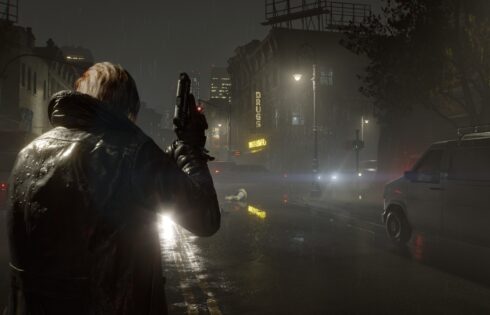
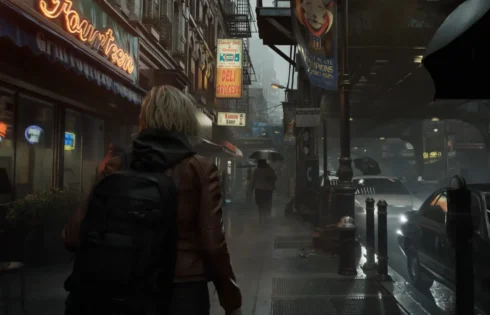
Resident Evil: Requiem has been unleashed onto the world as a blend of Resident Evil 4‘s and Resident Evil 7‘s gameplay styles, and critics have received it very well. The game is also extremely beautiful. Right from the moment of gameplay, you assume control of Grace Ashcroft in Racoon City, and the rain blows you away, and it’s the same for the character models and the character’s collision tech. Yet another classic Resident Evil game, truly, and one that you can play on your awesome PlayStation console, too. But what settings should you choose for this title on your PS5?
Resident Evil: Requiem

Resident Evil: Requiem Control Settings

Movement Type Walk
Run Type Toggle
Repeated Input Type Hold
Aim Assist Off
Reticle Deceleration Personal Preference
Reset Scope Magnification Off
Dot Sight Perspective On

It’s recommended to set the default movement type to walk so that you’ll be able to sneak past the zombies much more easily instead of always running past them. Aside from that, it is recommended that you set Repeated Input Type to Hold to avoid cramps and tired thumbs due to all the quick time events in this game. You should also set Rest Scope Magnification to off to make aiming at enemies’ heads much easier.

Resident Evil: Requiem Controller Settings

Control Type Default
Button Configuration Personal Preference
Controller Vibration Off
Adaptive Triggers Off
Deadzone and Sensitivity Linear

For controller settings, it is recommended that you set the control type to default. If you have a disability or just like being weird, you can adjust it. The same goes for the button configuration in Resident Evil: Requiem, since there are so many variables in video game inputs that we’d prefer not to go into. But for controller vibration and adaptive triggers, we’d actually recommend turning them off because it’s been six years, man, we’ve had enough of this stuff. They’re cool gimmicks, but we feel like they get in the way of our typical gaming experience. For deadzone and sensitivity, set them to linear, as that’s the usual setting for most shooters.

See also:  Football Sims Forgot How to Have Fun, But Arcade Games Remember

Camera Settings

Grace’s Camera First-person
Leon’s Camera Third-person
Camera Inversion Personal Preference
Camera Wobble 0
Motion Sensor Function 0
Vertical Sensitivity Personal Preference
Horizontal Sensitivity Personal Preference

We suggest using the default camera options for both Grace and Leon in Resident Evil: Requiem to match Capcom’s intended camera experience. However, if you like seeing backs, it’s perfectly fine to use the third-person camera, since there is no FOV slider in this game.

HUD Settings

HUD Size Standard
Menu Text Size Standard
Health Gauge On
Notification Display On
Tutorial Messages On
Item Pop-Up All Items
Reticle Display On
Dot Display Personal Preference
Reticle/Centre Dot Colour Personal Preference
Scope/Dot Sight Centre Colour Personal Preference

Use the default HUD settings for Resident Evil: Requiem as they don’t require much tweaking. You can change the colour of the reticle dot if you want, though.

Graphics Settings

Brightness Personal Preference
HDR Mode Off
Colour Space sRGB
Motion Blur Off

Resident Evil: Requiem

In terms of the graphics, this is mostly up to you, since there is no way to know what TV setup you have. But, typically, brightness should be set depending on the day, like say, you play your games with someone in the room, or typically play at night. HDR is up to you as well, but, based on how awful HDR has been for a lot of games and current-gen consoles, you really should leave it turned off. Set colour space to sRGB to get the most out of those greys and blacks, and put motion blur to off to avoid all that bluriness – presto!

See also:  Guide to Deleting Games on the PS4

So, there you have it. Resident Evil: Requiem is an amazing game, so hopefully, we’ve helped players out there have the best possible horror experience. As for the language and accessibility options, set them depending on your region and current living circumstances, and you’ll be good. Happy hunting!


Jon Wilson March 4, 2026
Share this Article
Facebook Twitter Whatsapp Whatsapp Reddit Email Copy Link Print
Previous Article The Growth of UK Tech Competitions and Their Role in Innovation
Next Article Fighting an Arc in Arc Raiders Where to Find Rusted Gears in Arc Raiders

Recent Posts

  • DualSense Nova PinkHow PlayStation Gamers Are Building Real Money Gaming Skills Through Console Play
    April 17, 2026
  • Evaluating User Experience Beyond Games: What Platform Reviews Can Learn From Gaming Culture
    April 15, 2026
  • Valorant console artHow Are Valorant’s PC and PS5 Versions Different?
    April 14, 2026
  • Top 5 PS5 Games With Amazing DualSense SupportTop 5 PS5 Games With Amazing DualSense Support
    April 14, 2026
  • About to fight the Bloodedge Demon in Nioh 3How to Find Bloodedge Demon in Nioh 3
    April 13, 2026
  • PlayStation StoreDigital Beats Disc: Why Irish PS5 Gamers are Spending Less on the Same Games in Spring 2026
    April 9, 2026
  • Top 5 PS5 Games With a Female Protagonist, RankedTop 5 PS5 Games With a Female Protagonist, Ranked
    April 8, 2026
  • Ghost of YoteiGhost of Yotei: How to Craft Weapons
    April 8, 2026

You Might Also Like

DualSense Nova Pink
EditorialsGames

How PlayStation Gamers Are Building Real Money Gaming Skills Through Console Play

7 Min Read
EditorialsGames

Evaluating User Experience Beyond Games: What Platform Reviews Can Learn From Gaming Culture

5 Min Read
Valorant console art
EditorialsFeaturedGeneral Gaming

How Are Valorant’s PC and PS5 Versions Different?

4 Min Read
About to fight the Bloodedge Demon in Nioh 3
Editor's picksGamesHow To Guides

How to Find Bloodedge Demon in Nioh 3

4 Min Read
Follow US

© 2013 - 2026 PS5Home.com. All Rights Reserved.

Our Friends: iNet Ventures / PS4 Home / Gamerbolt.com

  • Home
  • Contact and Advertising

Removed from reading list

Undo
Welcome Back!

Sign in to your account

Lost your password?