


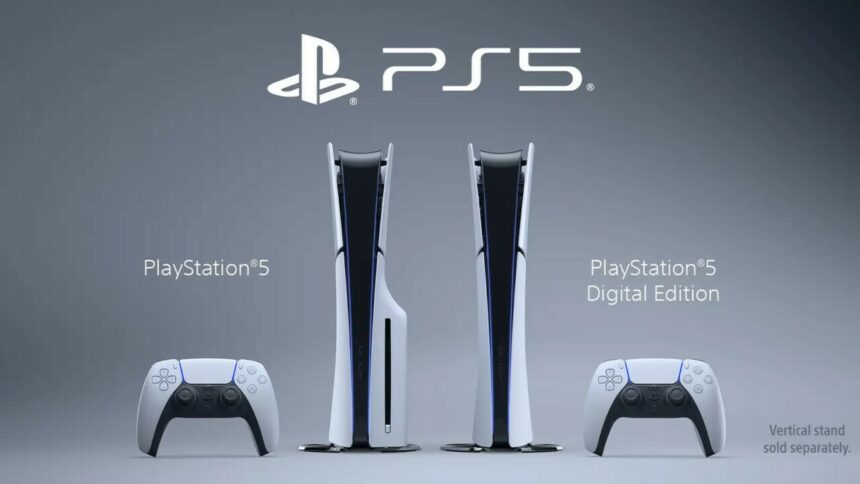
If you recently got your hands on a PlayStation 5 or were one of the lucky ones to grab one back during the COVID-19 scalping days, it’s important to get the most out of it.
The PS5 is, after all, the best console on the market, with 2024’s PS5 Pro boasting the highest GPU and CPU performance of all the models (which you would expect considering its brutally expensive $749.99 price tag).
And what’s great about the PS5 is that it has so much to offer in terms of games, customization, and hidden features, so let’s unpack everything here.
Start a PlayStation Plus Subscription
It’s quite literally impossible to get the most out of your PS5 without having some type of PlayStation Plus subscription.
There are ‘Essential’, ‘Extra’, and ‘Premium’ subscription tiers to pick from, coming with perks like online multiplayer, free monthly games, Share Play, and more.
If you don’t have a subscription, you won’t be able to access online mode for the majority of games and will essentially be stuck in single-player games with a much smaller game library, so this is a total no-brainer.
The PS Plus Essential tier starts at $9.99 a month in the US and one of the pro tips we have to get it cheaper is to buy discounted PlayStation gift cards to fund your wallet and then use those to get a subscription.
Once you’ve done this, you’ll be able to get the full PS5 experience, as well as access to hundreds of PS4 and PS5 games for free.
Discover the Hidden Web Browser
Sony made the controversial move to not include a web browser with the PlayStation 5.
They’ve never explicitly said why they did this, although it’s generally believed to have been security related, but what many PS5 players don’t know is that there’s actually a hidden web browser you can access using a smart little trick.
What you need to do is:
- Go to your friend’s list on the PS5
- Type the address of a popular web browser (e.g. Google) and send it to them
- You can then open this address directly through the message and force the PS5 to open its hidden web browser
From there, you can do whatever you like, from surfing the internet to accessing third-party game sites, with many players now opting to play sweepstakes casino games from the SweepsGods website.
It’s also possible to watch videos, search for images, and everything else in between, just like you used to be able to do on the PlayStation 4 before Sony decided to get serious and remove the classic browser.
Download Plenty of the Free-to-Play Games
Since the free-to-play, live service game trend started around a decade ago, countless F2P games have arrived on consoles.
On the PS5 alone, there are well over a hundred free games to play, including the award-winning Astro Bot (which many consider to be a defining game of the PS5 era) as well as other player-favorites like Call of Duty: Warzone and Fall Guys.
Use Cable Instead of Wi-Fi
An absolute essential for any PS5 owner is to use cable instead of Wi-Fi.
By having a cable internet connection, you can get faster internet speeds and lower latency, which is very important if you’re someone who plays online in player-heavy games like Fortnite and Call of Duty.
With Wi-Fi, you’re always at the risk of lag and the connection dropping at any point, whereas cable gives you that extra internet boost that all gamers need.
Explore the DualSense Features
One of the most impressive parts of the PS5 is the legendary DualSense controller, which was a big step up from the previous generation.
If you didn’t know already, there are tons of DualSense features for you to try like haptic feedback, adaptive triggers, motion sensors, and built-in microphone.
Some of the PS5’s games are also purpose-built for the DualSense controller, with Astro Bot, Gran Turismo 5, and Ghost of Yotei being some of our standout picks.
The DualSense controller is a great way to make gaming feel more immersive and realistic, so we recommend keeping all of its features turned on rather than turned off.
Check the PS5 Pro’s Enhanced Games
When the PS5 Pro finally dropped back in 2024, one of the main selling points was that owners of the console would be able to get their hands on some specially enhanced games.
So far, a fair chunk of games have been enhanced to make use of the PS5’s upgraded hardware, including Marvel’s Spider-Man 2 and Resident Evil Village.
If you have a PlayStation account, you can head to the PlayStation Store and check out the enhanced library yourself, where Sony lists all of the games that have received performance boosts and better graphics.
Organize Your Game Library
Another top tip for PS5 owners is to organize your game library.
It’s surprisingly easy to do: just go to your Games home and select Game Library > Your Collection. From there, you can then select different games and add them to your game list however you like, which is convenient if you have a bunch of different games downloaded and want to bring some much-needed efficiency to your library.
Download the PlayStation App
Finally, don’t forget to download the PS App.
You can do this on both Android and iOS and it’s a great way to stay connected with friends when you’re away from your console and can’t log in.
The mobile app also lets you manage downloads, remotely install games, and customize your PSN profile, so it’s pretty good for something you can download for free.
Whether you’re a newbie to the PS5 or are a Sony diehard, the PS App is a genuine must-have.
Which PS5 Model is Best?
As it currently stands, there’s the PS5 Standard Edition, PS5 Digital Edition, PS5 Slim, and PS5 Pro to choose from. In terms of affordability, the best option is to go for the Standard or Digital models, but if you’re willing to splash the cash and want the best gaming experience possible, then the PS5 Pro is ideal. Whichever model you ultimately go for, though, you’ll get good value for money, as the PS5 is still widely regarded as the superior console to the Xbox Series X/S, which has lost the console war since 2020.
The PS5 Still Has Plenty of Life Left
There’s a lot of speculation in the gaming world at the moment.
Will GTA 6 actually come out in 2026? Are video games getting too expensive? When will the next generation of consoles come out?
What we know for certain is that the PS5 still has plenty of life in it, that’s unquestionable.
Following recent reports, the PS6 isn’t expected to drop until 2028 or 2027 at the very earliest, meaning the PS5 has got at least a couple of years left before the next generation starts (and even then, many PS5 owners will be sticking with the console for years to come).
So, we recommend following this guide and getting the absolute maximum value out of your PS5 or PS5 Pro in the build-up to the next generation, from subscribing to PlayStation Plus to checking out some of the recently enhanced AAA games.


