
By using this site, you agree to the Privacy Policy and Terms of Use.
Accept
PS5 Home - The Home of PS5PS5 Home - The Home of PS5
  • Editorials
    EditorialsShow More
    God of War Ragnarok
    Beyond Gaming: How Interactive Entertainment is Expanding Online
    5 Min Read
    From Gaming to Collecting: Tracking Your Pokémon Card Values
    6 Min Read
    Marvel's Wolverine key art
    Marvel’s Wolverine and the Case for PS5 Exclusives in a Crowded Multiplatform Autumn
    7 Min Read
    Mini-Games and High Stakes. The Best Casino Mechanics in PlayStation 5 Hits
    11 Min Read
    GTA 6 cover art with protagonists
    Will GTA 6 Bring Sports Betting and a Casino?
    8 Min Read
  • Games
    GamesShow More
    Yakuza 0 gambling
    From GTA to Yakuza 0 – The Best Titles to Try the Tables
    4 Min Read
    EU Clears Ireland’s Games Tax Credit Expansion for DLC and Updates – Here’s Why It Matters for PS5 Players
    7 Min Read
    God of War Ragnarok
    Beyond Gaming: How Interactive Entertainment is Expanding Online
    5 Min Read
    Destiny 2 title art
    The Complete and Correct Order to Play Destiny 2
    5 Min Read
    forza horizon 6 editions ps5 details feature
    All Forza Horizon 6 Editions On PS5
    6 Min Read
  • News
    NewsShow More
    EU Clears Ireland’s Games Tax Credit Expansion for DLC and Updates – Here’s Why It Matters for PS5 Players
    7 Min Read
    Arc Raiders
    Arc Raiders Cheating: Why Bans Are Rising Fast on PS5 Crossplay
    10 Min Read
    Arc Raiders PvE mode
    How Arc Raiders’ New Limited-Time PvE Mode Will Work
    6 Min Read
    gta 6 30fps feature
    GTA 6 is Running At 30FPS on PS5
    4 Min Read
    witcher 3 remastered key art
    The Witcher 3 Remastered Launches in September
    4 Min Read
  • Guides
    GuidesShow More
    Destiny 2 title art
    The Complete and Correct Order to Play Destiny 2
    5 Min Read
    forza horizon 6 editions ps5 details feature
    All Forza Horizon 6 Editions On PS5
    6 Min Read
    Complete Sacred Stones Guide in Blood of Dawnwalker
    6 Min Read
    Valheim art
    How to Start Making Mead in Valheim
    6 Min Read
    Arc Raiders Steam screenshot
    How to Unlock Weapons Without Blueprints in Arc Raiders
    6 Min Read
  • Console
    ConsoleShow More
    Jason and Lucia in GTA 6
    Is the PS5 the Best Console for GTA 6?
    5 Min Read
    Diamond Casino GTA
    Are There Casino Slot Games on PS5 and If So, How Can You Play Them?
    4 Min Read
    The Case For Clear Screen-Time Rules and Smarter Digital Rewards
    4 Min Read
    Study Reveals PlayStation Gamers Have Higher Average IQ Than Xbox Players
    4 Min Read
    Peter and Miles in Spider-Man 2
    What to Know Before Getting a Monitor for PS5
    6 Min Read
  • Accessories
    AccessoriesShow More
    Peter and Miles in Spider-Man 2
    What to Know Before Getting a Monitor for PS5
    6 Min Read
    A Closer Look at Gaming Mouse Pads Built for Precision and Speed
    5 Min Read
    PS Portal
    Can You Use Your PS Portal Away From Home?
    4 Min Read
    Top 5 PS5 Games With Amazing DualSense Support
    Top 5 PS5 Games With Amazing DualSense Support
    6 Min Read
    Arc Raiders Steam screenshot
    How to Fix Arc Raiders Mic Not Working on PS5
    3 Min Read
Reading: How to Fix PS5 Error Code CE-108262-9
Share
PS5 Home - The Home of PS5PS5 Home - The Home of PS5
  • Editorials
  • Games
  • News
  • Guides
  • Console
  • Accessories
Follow US
PS5 Home - The Home of PS5 > Console > How to Fix PS5 Error Code CE-108262-9
ConsoleGuides

How to Fix PS5 Error Code CE-108262-9

PS5 Home
Last updated: 2025/08/18 at 9:27 PM
PS5 Home Published August 13, 2025
Share
ps5 error code ce-108262-9 artwork
SHARE

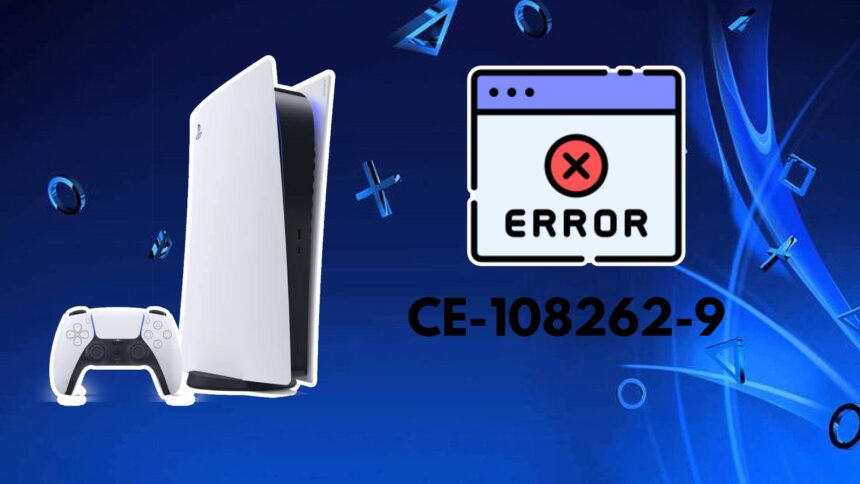
If you have a PS5, especially after a while, you may have come across the error code CE-108262-9. The issue indicates that the console is having an issue with the system software. Additionally, there could also be a problem with the reading of an application, specifically a game. You may have seen this before when playing a game or sitting in the menu, and everything freezes. I know I have, even being mid-game, and it locks up. Just for the CE-108262-9 error to let me know that “something went wrong with the system software.” It left me with worry, and I don’t want the same to happen to you. Therefore, I have created this guide to help you sort out the problem. All of the details for it can be found below.

How to Fix PS5 Error Code CE-108262-9

There are a few ways to deal with the pesky PS5 error. They are more straightforward to do, albeit one can be time-consuming. However, doing any of these processes can help prevent the error from occurring as often or at all. The following are what you can do to fix it it on your PS5:

  • Install the latest system firmware.
  • Power cycle the PS5.
  • Reinstall the latest system software update.
  • Reformat your PS5.
  • Contact PlayStation Support.

Install the Latest System Firmware

The first thing to ensure is that the latest firmware for the system is installed on the PS5. To check if it is, you can follow the process below:

  1. Go to the “Settings” option in the PS5 menu; it looks like a gear icon.
  2. Next, navigate to the “System” tab, select it, and then “System Software.“
  3. Afterward, you see the option for “System Software Update and Settings,” go to it.
  4. If it says “Update Available,” click on it to get the latest update.
See also:  The Best Tactical Games on PS5

Power Cycle the PS5

Sometimes, a good ol’ power cycle can be a fix-all for various PS5 error codes like CE-108262-9. It doesn’t mess with the system, but rather clears the cache. Which, in turn, can alleviate some problems that are occurring within the console. To do so, follow the list below:

  1. Turning off the PS4/PS4 Pro console.
  2. Unplugging it from the wall outlet.
  3. Wait 5 minutes and then plug it back in and turn it on.

Reinstall the Latest PS5 System Software

A reinstall of the latest PS5 system software file can also stop the error from popping up. However, for this, you will need a USB and a laptop or PC. Additionally, you need to be aware that reinstalling it will delete all of your data on the PS5. So just be prepared before using this option. It can be done as follows:

  1. Turn off your PS5.
  2. Connect a USB to your laptop or PC and create a file in it labeled exactly “PS5” with another file inside of that “UPDATE“. Ensure that the USB is formatted as FAT32 or exFAT.
  3. Go to this link on the official PlayStation Support website to download the latest System Software file.
  4. The file is 1.2GB, save it in the previously created “UPDATE” folder on your USB. The name of the system software file must be saved as “PS5UPDATE.PUP“.
  5. Next, take the USB and plug it into the USB port on the PS5 console.
  6. Start the PS5 in Safe Mode by holding the power button until you hear a second beep.
  7. Go down to “Reset PS5 (Reinstall System Software)“.
  8. The latest PS5 system software file will now install.
See also:  Can the PS5 Play DVDs and CDs?

ps5 error ce-108262-9 safe mode option

Reformat the PS5

A total reformatting of the console is another solution to stopping errors. This type of option is considered one of the last resorts. Mainly because it wipes all data from the console, making it as if you just bought it brand new. Here is how you can do it:

  1. Go to the “Settings“.
  2. From here, head to the “System” tab and select “System Software“.
  3. Next, you will see “Reset Options“. Click on this, and then “Reset Your Console“.
  4. Now the console will be completely reset, and you can download the newest system software update to it.

Contacting PlayStation Support

When all of the above options don’t work, the last choice is to get in touch with PlayStation Support. If the issue persists, send the console in to be maintained. While it can cost a bit for shipping and getting it fixed, it’s a better option than buying a new console. But first, you have to speak to an agent to diagnose the problem. If you have no other choice, then head to the website and begin the process.

We hope that any of the options above can help you resolve the CE-108262-9 error code on your PS5. There are other annoying ones out there, like CE-30005-8 as well. By having these guides handy, we aim to make sure you can enjoy stress-free gaming. As well as get the answers you need right away to fix your console.

TAGGED: CE-108262-9, error code, ps5, PS5 error
PS5 Home August 13, 2025
Share this Article
Facebook Twitter Whatsapp Whatsapp Reddit Email Copy Link Print
Previous Article Top 10 PS4 Puzzle Games Top 10 PS4 Puzzle Games
Next Article gran turismo 7 screenshot Top 10 Best PS4 Motorsport Games

You Might Also Like

Destiny 2 title art
GamesGuides

The Complete and Correct Order to Play Destiny 2

5 Min Read
forza horizon 6 editions ps5 details feature
GamesGuides

All Forza Horizon 6 Editions On PS5

6 Min Read
FeaturedGuides

Complete Sacred Stones Guide in Blood of Dawnwalker

6 Min Read
Valheim art
GamesGuides

How to Start Making Mead in Valheim

6 Min Read
Follow US

© 2013 - 2026 PS5Home.com. All Rights Reserved.

Our Friends: iNet Ventures / PS4 Home / Gamerbolt.com

  • Home
  • Contact and Advertising

Removed from reading list

Undo
Welcome Back!

Sign in to your account

Lost your password?