

By using this site, you agree to the Privacy Policy and Terms of Use.
Accept
PS5 Home - The Home of PS5PS5 Home - The Home of PS5
  • Editorials
    EditorialsShow More
    God of War Ragnarok
    Beyond Gaming: How Interactive Entertainment is Expanding Online
    5 Min Read
    From Gaming to Collecting: Tracking Your Pokémon Card Values
    6 Min Read
    Marvel's Wolverine key art
    Marvel’s Wolverine and the Case for PS5 Exclusives in a Crowded Multiplatform Autumn
    7 Min Read
    Mini-Games and High Stakes. The Best Casino Mechanics in PlayStation 5 Hits
    11 Min Read
    GTA 6 cover art with protagonists
    Will GTA 6 Bring Sports Betting and a Casino?
    8 Min Read
  • Games
    GamesShow More
    Yakuza 0 gambling
    From GTA to Yakuza 0 – The Best Titles to Try the Tables
    4 Min Read
    EU Clears Ireland’s Games Tax Credit Expansion for DLC and Updates – Here’s Why It Matters for PS5 Players
    7 Min Read
    God of War Ragnarok
    Beyond Gaming: How Interactive Entertainment is Expanding Online
    5 Min Read
    Destiny 2 title art
    The Complete and Correct Order to Play Destiny 2
    5 Min Read
    forza horizon 6 editions ps5 details feature
    All Forza Horizon 6 Editions On PS5
    6 Min Read
  • News
    NewsShow More
    EU Clears Ireland’s Games Tax Credit Expansion for DLC and Updates – Here’s Why It Matters for PS5 Players
    7 Min Read
    Arc Raiders
    Arc Raiders Cheating: Why Bans Are Rising Fast on PS5 Crossplay
    10 Min Read
    Arc Raiders PvE mode
    How Arc Raiders’ New Limited-Time PvE Mode Will Work
    6 Min Read
    gta 6 30fps feature
    GTA 6 is Running At 30FPS on PS5
    4 Min Read
    witcher 3 remastered key art
    The Witcher 3 Remastered Launches in September
    4 Min Read
  • Guides
    GuidesShow More
    Destiny 2 title art
    The Complete and Correct Order to Play Destiny 2
    5 Min Read
    forza horizon 6 editions ps5 details feature
    All Forza Horizon 6 Editions On PS5
    6 Min Read
    Complete Sacred Stones Guide in Blood of Dawnwalker
    6 Min Read
    Valheim art
    How to Start Making Mead in Valheim
    6 Min Read
    Arc Raiders Steam screenshot
    How to Unlock Weapons Without Blueprints in Arc Raiders
    6 Min Read
  • Console
    ConsoleShow More
    Jason and Lucia in GTA 6
    Is the PS5 the Best Console for GTA 6?
    5 Min Read
    Diamond Casino GTA
    Are There Casino Slot Games on PS5 and If So, How Can You Play Them?
    4 Min Read
    The Case For Clear Screen-Time Rules and Smarter Digital Rewards
    4 Min Read
    Study Reveals PlayStation Gamers Have Higher Average IQ Than Xbox Players
    4 Min Read
    Peter and Miles in Spider-Man 2
    What to Know Before Getting a Monitor for PS5
    6 Min Read
  • Accessories
    AccessoriesShow More
    Peter and Miles in Spider-Man 2
    What to Know Before Getting a Monitor for PS5
    6 Min Read
    A Closer Look at Gaming Mouse Pads Built for Precision and Speed
    5 Min Read
    PS Portal
    Can You Use Your PS Portal Away From Home?
    4 Min Read
    Top 5 PS5 Games With Amazing DualSense Support
    Top 5 PS5 Games With Amazing DualSense Support
    6 Min Read
    Arc Raiders Steam screenshot
    How to Fix Arc Raiders Mic Not Working on PS5
    3 Min Read
Reading: How to Fix PS5 DNS Server Error
Share
PS5 Home - The Home of PS5PS5 Home - The Home of PS5
  • Editorials
  • Games
  • News
  • Guides
  • Console
  • Accessories
Follow US
PS5 Home - The Home of PS5 > Console > How to Fix PS5 DNS Server Error
ConsoleGuides

How to Fix PS5 DNS Server Error

PS5 Home
Last updated: 2025/08/31 at 8:29 PM
PS5 Home Published August 31, 2025
Share
PS5 DNS Error
SHARE

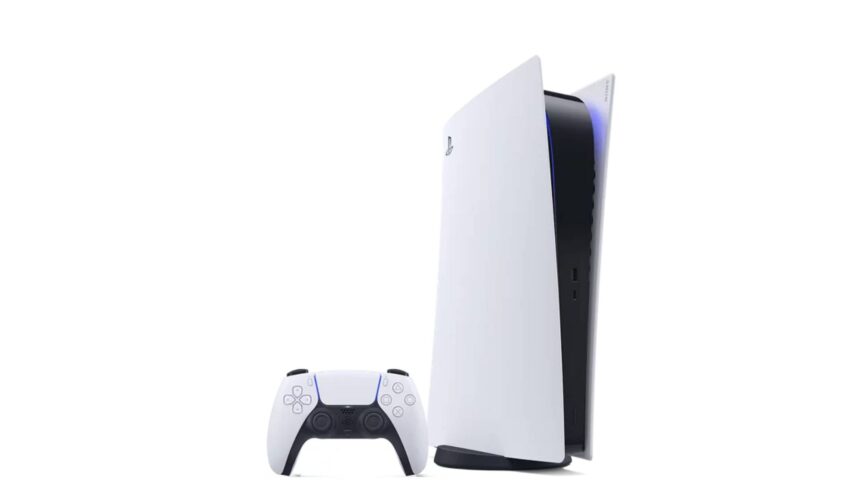
The PlayStation 5 is the best-selling console of this generation, beating both Xbox Series S|X Sales despite facing massive criticism for being a ‘gameless box’. While the console performs extremely well with games, numerous software bugs and errors exist that make the PS5 feel like a chore. This includes the DNS Server error that limits the internet connection to your console and stops you from connecting to the PlayStation Network servers; your account can’t be logged in which eventually takes your access to video games. Fortunately, there is a fix for the DNS Server problem, and this guide will tell you in detail how you can do so. 

How to Fix PS5 DNS Errors

PS5

Your PlayStation 5 may fail to connect to the PlayStation Network services due to DNS Server problems. To fix the PS5 DNS error code NW-102308-4 or any specific error code in general, follow the steps below: 

  • Go to your PlayStation Settings
  • Open the Network Section
  • Head into the sub-Settings and select Set Up  Internet Connection
  • Press the Options button on the connected Wi-fi
  • Go to Advanced Settings
  • Change the DNS Setting to Manual from Automatic
  • Primary Address: 8.8.8.8
  • Secondary Address: 8.8.4.4 

Connecting to the Google DNS Server will remove the PS5 DNS error that you may face on your console.  

See also:  PlayStation 5 GPU Guide: What Graphics Card Does the PS5 Use?
PS5 Home August 31, 2025
Share this Article
Facebook Twitter Whatsapp Whatsapp Reddit Email Copy Link Print
Previous Article Top 10 Best-Looking PS5 Games
Next Article How To Fix a PS5 That Keeps Turning Off How To Fix a PS5 That Keeps Turning Off

You Might Also Like

Destiny 2 title art
GamesGuides

The Complete and Correct Order to Play Destiny 2

5 Min Read
forza horizon 6 editions ps5 details feature
GamesGuides

All Forza Horizon 6 Editions On PS5

6 Min Read
FeaturedGuides

Complete Sacred Stones Guide in Blood of Dawnwalker

6 Min Read
Valheim art
GamesGuides

How to Start Making Mead in Valheim

6 Min Read
Follow US

© 2013 - 2026 PS5Home.com. All Rights Reserved.

Our Friends: iNet Ventures / PS4 Home / Gamerbolt.com

  • Home
  • Contact and Advertising

Removed from reading list

Undo
Welcome Back!

Sign in to your account

Lost your password?