


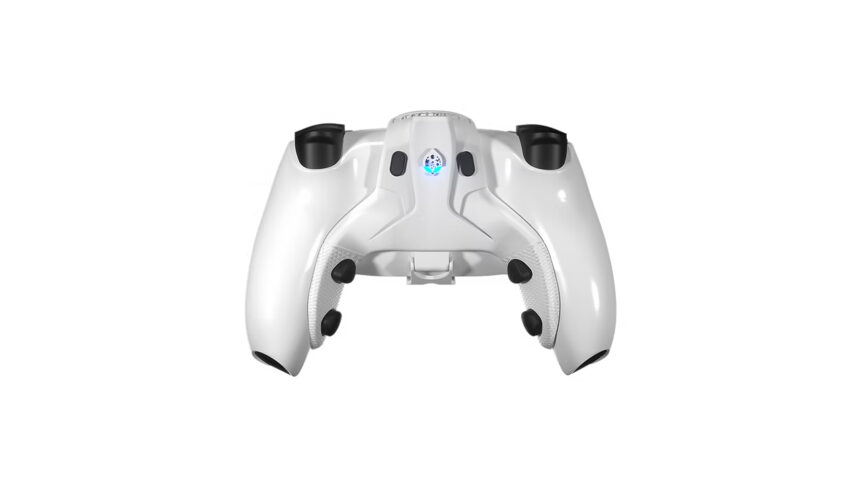
A DualSense controller is versatile and has now received a handful of great accessories to propel the immersion to new heights. One of the most popular accessories in recent memory is the Strike Pack for DualSense and DualShock 4, which provides an extra set of buttons for players to use and capitalise on an advantage against others. Additionally, it modifies a controller externally and doesn’t require the user to permanently modify their accessory; easily removable whenever you want. If you’re either planning or about to purchase Strike Pack for PS5, here is everything you should know before getting your hands on it.
Strike Pack: What is it and How Much Does it Cost?
Strike Pack is a modifying accessory for both PS4 and PS5 controllers that provides users with additional pairs of buttons that are mappable through its app. You can mount and remove this modifier at will, and it becomes extremely useful in sticky multiplayer situations.
As good as a Strike Pack sounds, the accessory costs $70 USD, which personally is a steal deal considering its accessibility enhancements. Additionally, the website supports international shipping, and you can order it through their website.
How to Install Strike Pack on PS5?
Installing Strike Pack on your PS5 DualSense controller is quite simple. Take the Strike Pack and place it behind your controller firmly until it sticks correctly. Once the accessory sits perfectly in place, connect its USB cable to your PS5 to the accessory; the RGB lighting is an indicator of a successful connection.
Download the Strikepack Central App on your phone to automatically pair your device with the app and seamlessly map the rear paddles with mods or extraneous buttons.
Can Strike Pack Get You Banned?
In general, Strike Pack is a safe accessory with completely unbannable modifying firmware. However, multiplayer games can ban you if you install mods similar to Rapid Fire.


