



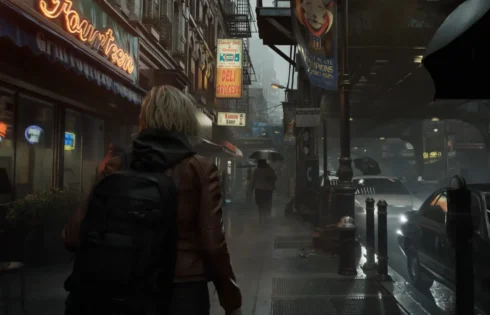
Resident Evil: Requiem has been unleashed onto the world as a blend of Resident Evil 4‘s and Resident Evil 7‘s gameplay styles, and critics have received it very well. The game is also extremely beautiful. Right from the moment of gameplay, you assume control of Grace Ashcroft in Racoon City, and the rain blows you away, and it’s the same for the character models and the character’s collision tech. Yet another classic Resident Evil game, truly, and one that you can play on your awesome PlayStation console, too. But what settings should you choose for this title on your PS5?
Resident Evil: Requiem Control Settings
| Movement Type | Walk |
|---|---|
| Run Type | Toggle |
| Repeated Input Type | Hold |
| Aim Assist | Off |
| Reticle Deceleration | Personal Preference |
| Reset Scope Magnification | Off |
| Dot Sight Perspective | On |
It’s recommended to set the default movement type to walk so that you’ll be able to sneak past the zombies much more easily instead of always running past them. Aside from that, it is recommended that you set Repeated Input Type to Hold to avoid cramps and tired thumbs due to all the quick time events in this game. You should also set Rest Scope Magnification to off to make aiming at enemies’ heads much easier.
Resident Evil: Requiem Controller Settings
| Control Type | Default |
|---|---|
| Button Configuration | Personal Preference |
| Controller Vibration | Off |
| Adaptive Triggers | Off |
| Deadzone and Sensitivity | Linear |
For controller settings, it is recommended that you set the control type to default. If you have a disability or just like being weird, you can adjust it. The same goes for the button configuration in Resident Evil: Requiem, since there are so many variables in video game inputs that we’d prefer not to go into. But for controller vibration and adaptive triggers, we’d actually recommend turning them off because it’s been six years, man, we’ve had enough of this stuff. They’re cool gimmicks, but we feel like they get in the way of our typical gaming experience. For deadzone and sensitivity, set them to linear, as that’s the usual setting for most shooters.
Camera Settings
| Grace’s Camera | First-person |
|---|---|
| Leon’s Camera | Third-person |
| Camera Inversion | Personal Preference |
| Camera Wobble | 0 |
| Motion Sensor Function | 0 |
| Vertical Sensitivity | Personal Preference |
| Horizontal Sensitivity | Personal Preference |
We suggest using the default camera options for both Grace and Leon in Resident Evil: Requiem to match Capcom’s intended camera experience. However, if you like seeing backs, it’s perfectly fine to use the third-person camera, since there is no FOV slider in this game.
HUD Settings
| HUD Size | Standard |
|---|---|
| Menu Text Size | Standard |
| Health Gauge | On |
| Notification Display | On |
| Tutorial Messages | On |
| Item Pop-Up | All Items |
| Reticle Display | On |
| Dot Display | Personal Preference |
| Reticle/Centre Dot Colour | Personal Preference |
| Scope/Dot Sight Centre Colour | Personal Preference |
Use the default HUD settings for Resident Evil: Requiem as they don’t require much tweaking. You can change the colour of the reticle dot if you want, though.
Graphics Settings
| Brightness | Personal Preference |
|---|---|
| HDR Mode | Off |
| Colour Space | sRGB |
| Motion Blur | Off |
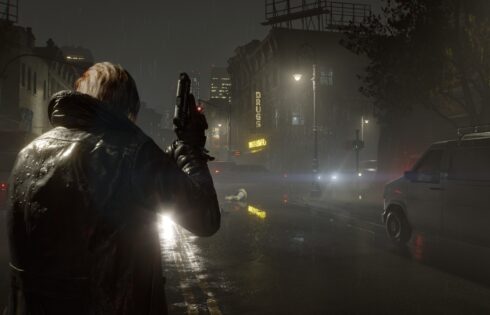
In terms of the graphics, this is mostly up to you, since there is no way to know what TV setup you have. But, typically, brightness should be set depending on the day, like say, you play your games with someone in the room, or typically play at night. HDR is up to you as well, but, based on how awful HDR has been for a lot of games and current-gen consoles, you really should leave it turned off. Set colour space to sRGB to get the most out of those greys and blacks, and put motion blur to off to avoid all that bluriness – presto!
So, there you have it. Resident Evil: Requiem is an amazing game, so hopefully, we’ve helped players out there have the best possible horror experience. As for the language and accessibility options, set them depending on your region and current living circumstances, and you’ll be good. Happy hunting!


